OpenSSH Protection Settings for Windows
RdpGuard's OpenSSH protection monitors failed SSH logins on Windows and temporarily blocks source IP addresses when detections reach your configured limit. Run RdpGuard on the Windows computer hosting OpenSSH Server, then enable protection as described below.
Run RdpGuard Dashboard as administrator. Under Monitored protocols, click OpenSSH while its status is Disabled.
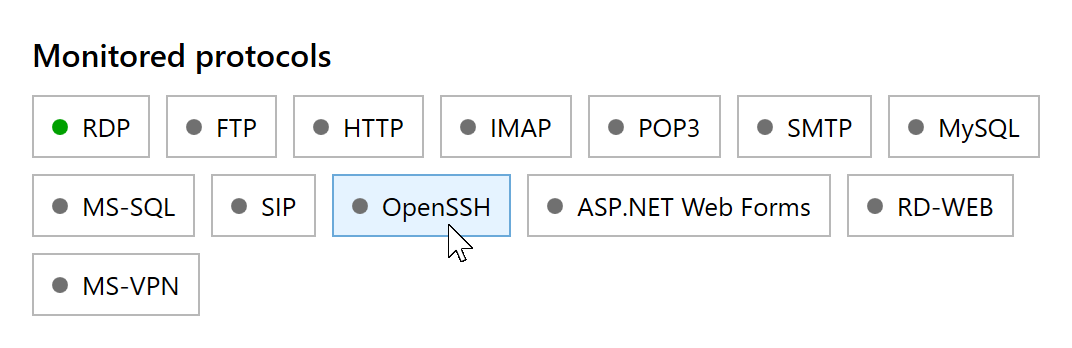
Click the disabled OpenSSH button to enable protection. Wait for RdpGuard to save the setting and restart its service automatically. The OpenSSH status changes to Enabled. This button toggles protection directly; clicking it again disables protection.

To adjust the failed-login limit or block duration, open Tools, Options, General. You can also whitelist trusted IP addresses and configure notifications when an address is blocked.
Check That OpenSSH Events Are Being Detected
OpenSSH records authentication messages in Event Viewer, Applications and Services Logs, OpenSSH, Operational. This is the log used by RdpGuard's OpenSSH protection.
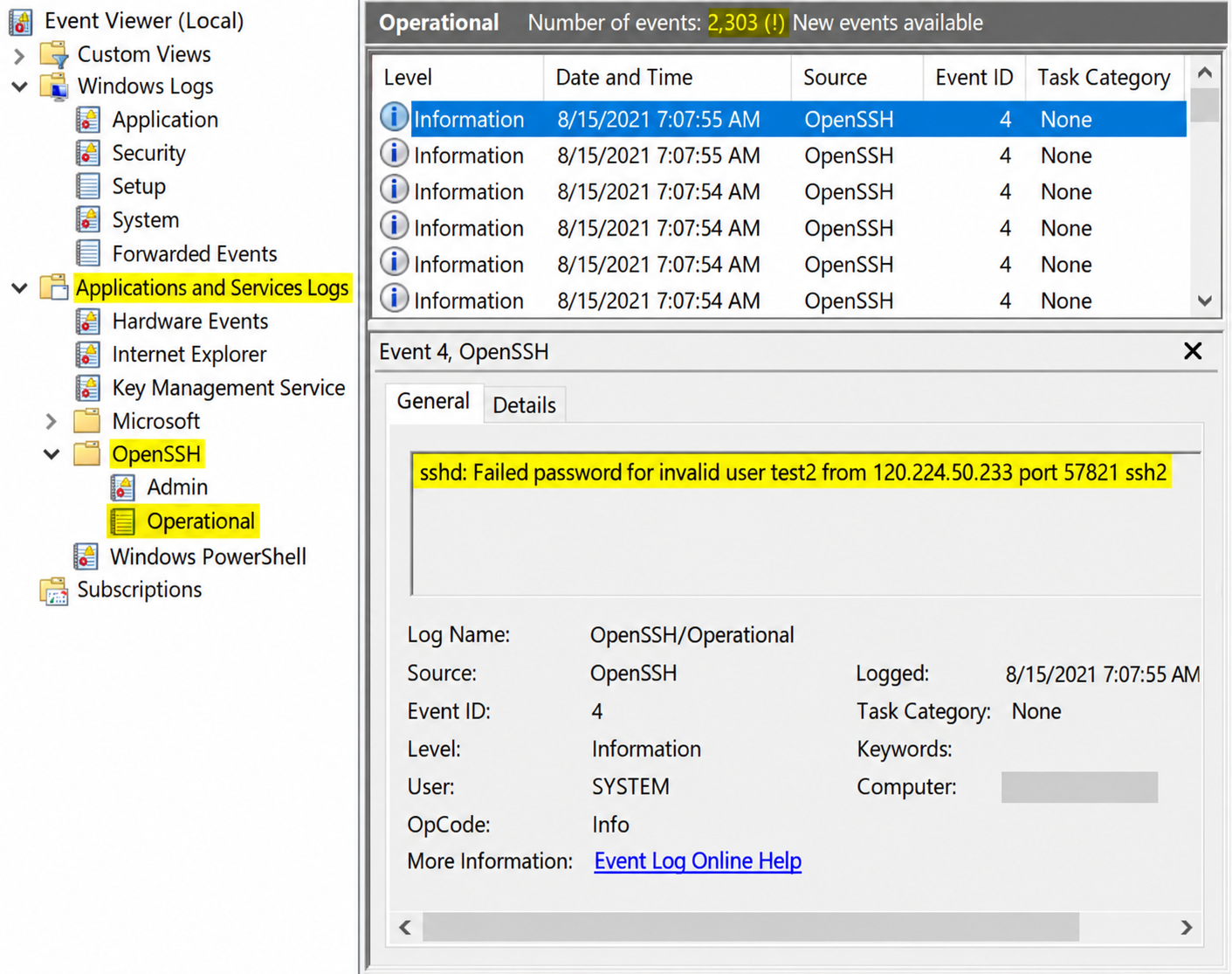
Typical messages include Failed password and Invalid user:
sshd: Failed password for invalid user test2 from 120.224.50.233 port 57821 ssh2
Invalid user admin from 203.0.113.25 port 51957- Make sure OpenSSH Server is installed and running, and the OpenSSH, Operational log exists and is enabled. If OpenSSH was installed after RdpGuard protection was enabled, restart the RdpGuard service so it can start monitoring the new log.
- Check for new Event ID 4 entries with the failed-password or invalid-user messages shown above. RdpGuard reads new events from OpenSSH/Operational; the presence of Security event 4625 alone does not verify this module's detection.
- If OpenSSH logs only to files, check
SyslogFacilityin%ProgramData%\ssh\sshd_config.LOCAL0sends logs to files, which this module does not read. The defaultAUTHuses Windows event logging. Restart OpenSSH Server after changing its configuration; see Microsoft's OpenSSH logging documentation. - If an address is detected but not blocked, check the configured limit and whitelist. For monitoring errors, open View, Show event log in RdpGuard Dashboard.
The current OpenSSH event parser recognizes IPv4 addresses in the messages above. By default, blocked addresses lose access to all server ports. If you use blocking for selected ports, include the SSH listening port - normally 22, or your custom port.
RdpGuard protects:
- Remote Desktop
- MS-SQL Server
- FTP Protocol
- HTTP Protocol
- IMAP Protocol
- POP3 Protocol
- SMTP Protocol
- IIS Web Login
- MySQL Server
- ASP.NET Forms
- RD Web Access
- VoIP (SIP Protocol)
- SSH Protocol
- MS VPN (RRAS)
"This sotware is really great. It's a relief. Because my server is constantly under attack. Thanks RdpGuard" - Joaquim De Sousa Marques
"Nice product. I used to implement something similiar in a low-tech and cumbersome manner via a script called TSBlock (not mine). This makes it much easier and is well worth the pricetag for SMB's." - J. Johnson
"Absolutely amazed at your product. We are a church in the North Dallas area, and I discovered this morning multiple failed logon attempts via our Remote Access Server. A friend suggested your product, so I immediately downloaded the trial. It had a list of about five blocked IP addresses in minutes, and that was enough to lead me to push the BUY button. Over the past 10-15 minutes the list is now about thirty with at least a third being international attempts to break into our system. Thanks for a great product. You may have just saved us much grief." - John Hallford
"Love the software. RDP on our Windows servers is just ridiculous. We would block it in the router but we have lots of old-time customers that would have issues." - Scott Hirsch
"Love the software! Makes it easier than tailoring VB Scripts!!" - Nick Brennan
"It's a great product - really stopping those RDP attackers :-)" - Dave, UK
"First of all: Your application is very (!!!) useful and I like it very much securing my 2012 R2 server. RdpGuard is the best solution, I found on the market and after 10 minutes of testing it I ordered the fully-featured version. :-)" - Carsten Baltes