ASP.NET Web Forms Protection Settings
Enable ASP.NET Web Forms protection on the Windows server hosting your classic ASP.NET application. RdpGuard monitors the Application event log and uses detection rules to identify potentially dangerous requests.
Open RdpGuard Dashboard and click ASP.NET Web Forms under Monitored protocols. This protection is disabled by default.
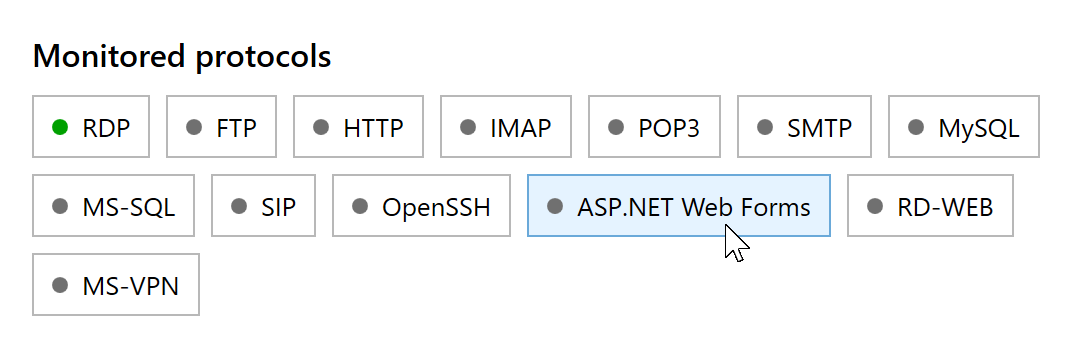
Click ASP.NET Web Forms to open its protection settings. Select Enable ASP.NET Web Forms protection. Leave Override standard detection rules unchecked to use the defaults, then click Save.
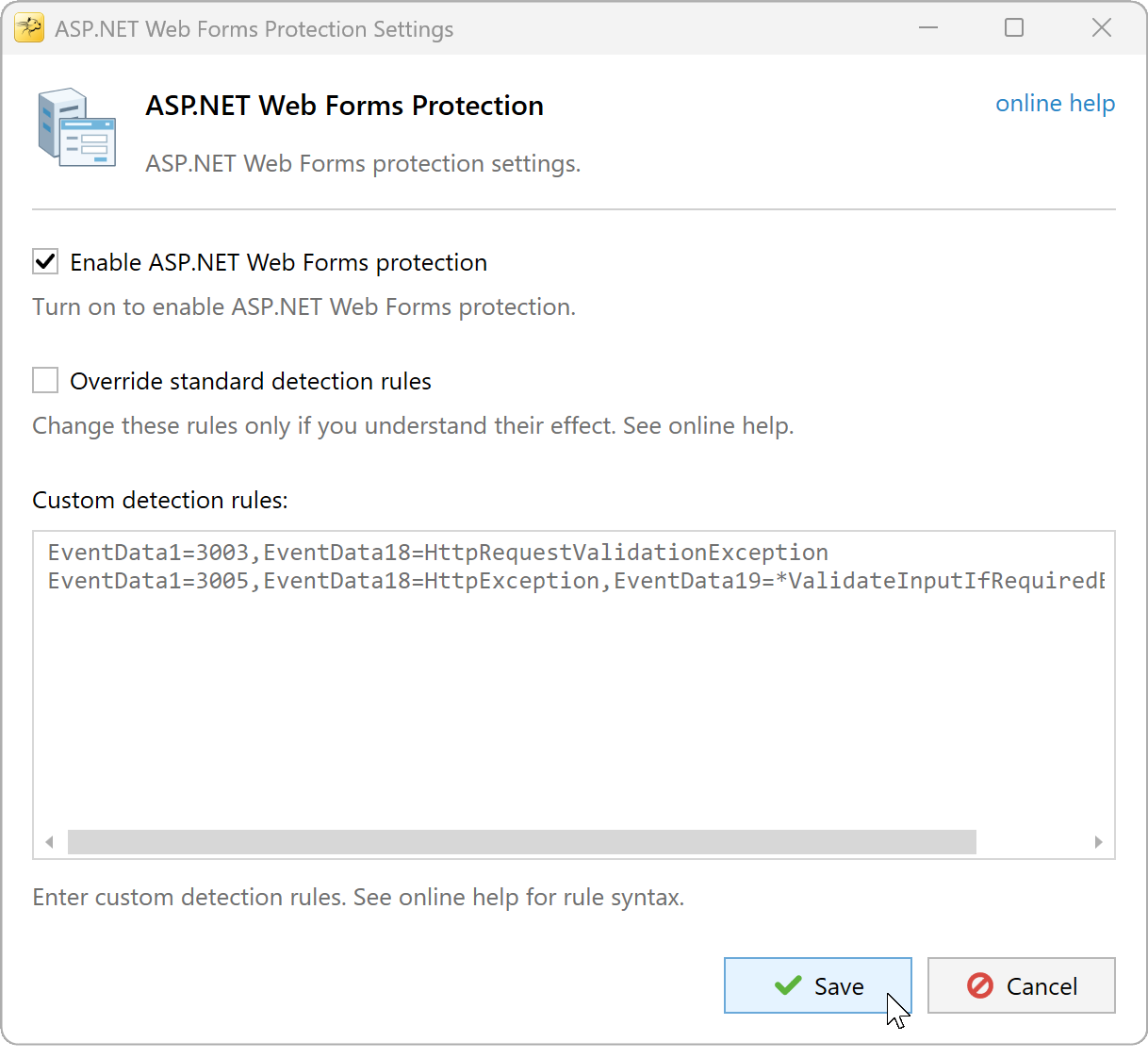
Enable protection with the standard rules.


Each matching event with a valid IP address counts as one detection. RdpGuard blocks the address when detections reach the shared limit. To change that limit or the block duration, open Tools, Options, General. The whitelist also applies.
Check that events contain the client IP
In Event Viewer, Windows Logs, Application, look for events from ASP.NET with Event ID 1309. Check the event code, exception details and User host address. RdpGuard needs the client's IP address in the event to attribute the request to that client.
If the expected events are absent, check your application's ASP.NET health monitoring configuration. This module reads new Application log events, not IIS access logs. For monitoring website access logs, see HTTP protection settings.
Behind a reverse proxy, the recorded address may belong to the proxy. This module does not read X-Forwarded-For headers, and the HTTP module's X-Forwarded-For option does not change ASP.NET event processing. Check the recorded address before relying on automatic blocking.
By default, blocked addresses lose access to all server ports. If you have configured blocking for selected ports, make sure it includes your website's HTTP or HTTPS ports.
Custom Rules for ASP.NET Web Forms Protection
The standard rules match these two types of event 1309: event code 3003 with HttpRequestValidationException, or event code 3005 with HttpException and ValidateInputIfRequiredByConfig in the exception details.
EventData1=3003,EventData18=HttpRequestValidationException
EventData1=3005,EventData18=HttpException,EventData19=*ValidateInputIfRequiredByConfig*
To edit the rules, select Override standard detection rules in ASP.NET Web Forms Protection Settings, edit Custom detection rules and click Save. Custom rules replace the standard rules. To extend the defaults, keep the two lines above and add your rules on separate lines. Clear the override checkbox to return to the standard rules.

EventData fields
Open an event's Details tab and select XML View. Rules refer to the Data elements inside EventData by position: EventData1 is the first element, EventData2 is the second, and so on. Count every Data element, including empty ones.
The example below shows the beginning of an event 1309 EventData section. Values are illustrative; comments identify the fields used by the rules. Additional fields after the client IP are omitted.
<EventData>
  <Data>3003</Data> <!-- EventData1 -->
  <Data>A validation error has occurred.</Data>
  <Data>9/30/2026 10:30:00 AM</Data>
  <Data>9/30/2026 8:30:00 AM</Data>
  <Data>0123456789abcdef0123456789abcdef</Data>
  <Data>100</Data>
  <Data>1</Data>
  <Data>0</Data>
  <Data>/LM/W3SVC/1/ROOT-1-132839011395594396</Data>
  <Data>Full</Data>
  <Data>/</Data>
  <Data>C:\inetpub\wwwroot\example.net\</Data>
  <Data>WEB-SERVER</Data>
  <Data />
  <Data>3276</Data>
  <Data>w3wp.exe</Data>
  <Data>IIS APPPOOL\ExampleAppPool</Data>
  <Data>HttpRequestValidationException</Data> <!-- EventData18 -->
  <Data>A potentially dangerous Request.Form value was detected from the client...</Data> <!-- EventData19 -->
  <Data>https://example.net/index.aspx</Data>
  <Data>/index.aspx</Data>
  <Data>5.136.158.160</Data> <!-- EventData22 -->
</EventData>| Field in event 1309 | Meaning |
|---|---|
EventData1 | ASP.NET event code, such as 3003 or 3005. |
EventData18 | Exception type. |
EventData19 | Exception details, which can include a stack trace. |
EventData20 | Request URL. |
EventData21 | Request path. |
EventData22 | Client IP address used for detection. |
Rule syntax
- Write one rule per line. A match against any line includes the event (OR).
- Separate conditions with commas. All conditions on the same line must match (AND).
- Use
=for a match or!=to exclude a matching value. - The wildcard
*matches any sequence of characters.
For example, this rule counts validation errors only for /contact.aspx:
EventData1=3003,EventData18=HttpRequestValidationException,EventData21=/contact.aspxUse this instead of the broader 3003 rule when you want that restriction. Adding it as another line while retaining the broader rule will not narrow detection, because a match against either line is sufficient.
The engine also watches Event ID 1316 for custom-rule scenarios. Its field positions differ from event 1309; the client IP is read from EventData20. Inspect the actual event XML before writing rules for it. The standard rules shown above target the validation errors in event 1309.
Choose rules that distinguish suspicious requests from expected application errors. Matching events need a valid client IP, and an event contributes one detection even if it matches more than one rule.
RdpGuard protects:
- Remote Desktop
- MS-SQL Server
- FTP Protocol
- HTTP Protocol
- IMAP Protocol
- POP3 Protocol
- SMTP Protocol
- IIS Web Login
- MySQL Server
- ASP.NET Forms
- RD Web Access
- VoIP (SIP Protocol)
- SSH Protocol
- MS VPN (RRAS)
"This sotware is really great. It's a relief. Because my server is constantly under attack. Thanks RdpGuard" - Joaquim De Sousa Marques
"Nice product. I used to implement something similiar in a low-tech and cumbersome manner via a script called TSBlock (not mine). This makes it much easier and is well worth the pricetag for SMB's." - J. Johnson
"Absolutely amazed at your product. We are a church in the North Dallas area, and I discovered this morning multiple failed logon attempts via our Remote Access Server. A friend suggested your product, so I immediately downloaded the trial. It had a list of about five blocked IP addresses in minutes, and that was enough to lead me to push the BUY button. Over the past 10-15 minutes the list is now about thirty with at least a third being international attempts to break into our system. Thanks for a great product. You may have just saved us much grief." - John Hallford
"Love the software. RDP on our Windows servers is just ridiculous. We would block it in the router but we have lots of old-time customers that would have issues." - Scott Hirsch
"Love the software! Makes it easier than tailoring VB Scripts!!" - Nick Brennan
"It's a great product - really stopping those RDP attackers :-)" - Dave, UK
"First of all: Your application is very (!!!) useful and I like it very much securing my 2012 R2 server. RdpGuard is the best solution, I found on the market and after 10 minutes of testing it I ordered the fully-featured version. :-)" - Carsten Baltes